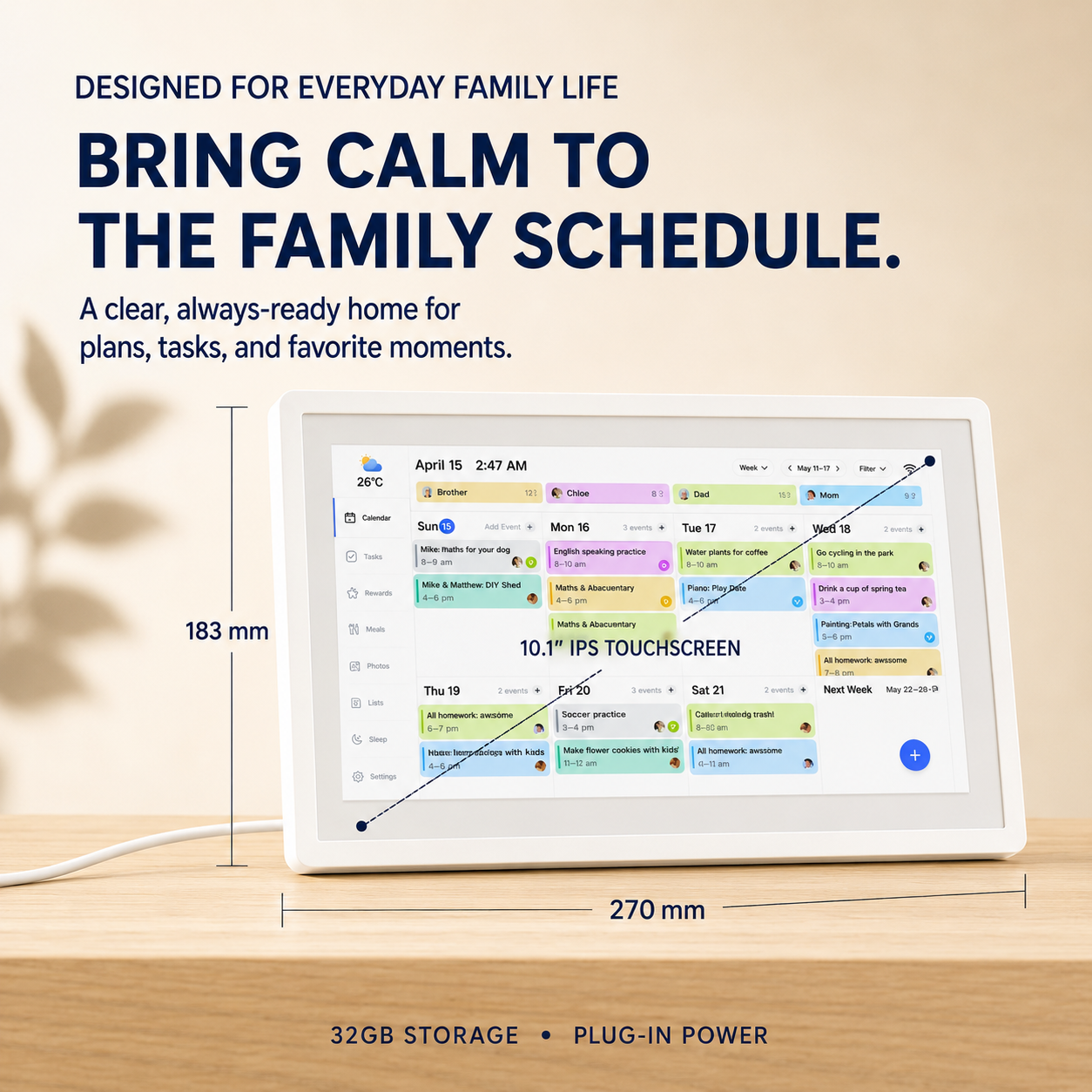
📅 10.1″ Smart Family Calendar & Digital Photo Frame – Wi-Fi Touchscreen Home Organizer
📅 10.1″ Smart Family Calendar & Digital Photo Frame – Wi-Fi Touchscreen Home Organizer
BUNDLE & SAVE
Couldn't load pickup availability
- American express payment method
- Apple pay payment method
- Bancontact payment method
- Diners club payment method
- Discover payment method
- Google pay payment method
- Master payment method
- Mbway payment method
- Paypal payment method
- Shopify pay payment method
- Visa payment method
-
Ordered
- - -
Order Ready
- - -
Delivered

📅 10.1″ Smart Family Calendar & Digital Photo Frame – Wi-Fi Touchscreen Home Organizer
10.1″ Smart Family Command Center
📅 One Screen. Every Schedule. The Whole Family in Sync.
Bring calendars, chores, lists and family memories together on one easy-to-see Wi-Fi touchscreen display.

Tired of Being the Only Person Who Remembers Everything?
School events, appointments, practices, shopping lists and household tasks can quickly become one person’s mental burden.
Move the family schedule out of your head and onto a shared screen everyone can see.
See the Whole Family’s Schedule at a Glance
Color-coded calendars make it easier to see who has plans, what is happening and when everyone needs to be ready.
👤 Individual Profiles
Organize events by family member so each person’s activities are easier to identify.
🎨 Color-Coded Events
Quickly distinguish school, work, appointments and activities without reading every detail.
🏠 Shared Visibility
Place the screen in a central area so the daily plan is not hidden inside one person’s phone.

Bring Your Calendars Together
Keep Using the Calendar You Already Know
Connect supported calendar services and bring existing schedules together on one family display.
Update plans through the connected calendar experience and keep the household view more consistent.
View Today—or Plan Further Ahead
Switch between different calendar views depending on how much of the family schedule you need to see.
Day View
Focus on today’s appointments, activities and responsibilities.
Week View
Prepare for the days ahead and spot schedule conflicts sooner.
Month View
See upcoming events, school dates and family plans together.

Less Repeating. More Shared Responsibility.
Keep chores, household tasks, grocery items and everyday reminders organized in one visible place.
✅ Chore Management
Give family members a clearer view of the responsibilities assigned to them.
📝 To-Do Lists
Collect important household reminders without relying on scattered paper notes.
🛒 Grocery Lists
Keep frequently needed shopping items together and easier to find.

From Family Planner to Family Photo Frame
When you are not checking the schedule, use the display to revisit favorite family photos and everyday memories.

Product Details
A compact touchscreen family organizer designed for everyday visibility.
Wi-Fi and compatible service accounts are required for cloud calendar synchronization. This model is designed for plug-in use.
Frequently Asked Questions
Which calendars can I connect?
The product information confirms support for Google, iCloud, Outlook and Cozi calendar services. A compatible account and internet connection may be required.
Can I see different family members separately?
Yes. The calendar interface supports member-based, color-coded schedules that make each person’s activities easier to identify.
Does it only show a monthly calendar?
No. You can switch between day, week and month views depending on how you want to review the schedule.
Can it display photos?
Yes. The device also functions as a digital photo frame and includes 32GB of internal storage.
Does it run on batteries?
No. This 10.1-inch model is designed for plug-in use.
Does it need Wi-Fi?
Wi-Fi is required for cloud-based calendar synchronization and connected features.
Bring Calm to the Family Schedule
Put calendars, responsibilities, lists and memories where the whole household can see them—on one shared family screen.